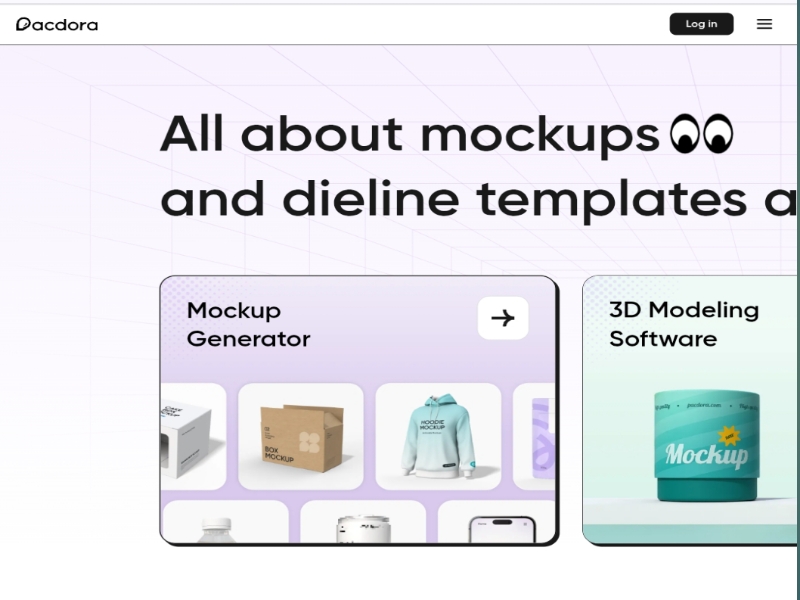
In the dynamic world of product design and branding, presenting your concepts effectively is paramount. A compelling way to showcase your designs is through high-quality 3D mockups. Enter Pacdora, a free online 3D packaging mockup generator that empowers designers, marketers, and entrepreneurs to transform their ideas into lifelike visuals effortlessly.
What Is Pacdora?
Pacdora is an intuitive, web-based platform that allows users to create realistic 3D mockups for various packaging types, including boxes, bottles, pouches, and more. Whether you’re a seasoned designer or a novice, Pacdora’s user-friendly interface ensures a seamless experience without the need for advanced design skills.
Key Features of Pacdora
- Extensive Mockup Library
Pacdora boasts a vast collection of over 6,000 mockups across different categories. From apparel to packaging, users can find a mockup that suits their project needs. This extensive library ensures that no matter the product, there’s a fitting mockup available.
2.Customizable 3D Mockups
With Pacdora, users can select a mockup and customize it to their liking. Adjustments can be made to materials, colors, angles, and backgrounds, allowing for a personalized and professional presentation of designs.
3.High-Resolution Exports
Once satisfied with the mockup, users can export their creations in high-resolution formats such as PNG, JPG, or MP4. This feature is particularly beneficial for presentations, marketing materials, or online stores.
4.AI-Powered Background Generator
One of Pacdora’s standout features is its AI background generator. Upload your product image, and the AI suggests personalized backgrounds that seamlessly blend with your product, enhancing its visual appeal.
5.Dieline Template Maker
For those involved in the printing process, Pacdora offers a dieline template maker. This tool generates professional-quality dieline templates, ensuring that designs are print-ready and accurately represent the final product.
How to Use Pacdora
Using Pacdora is straightforward:
- Select a Mockup: Browse through the extensive library and choose a mockup that aligns with your product.
- Upload Your Design: Upload your artwork or label to the selected mockup.
- Customize: Adjust materials, colors, and other elements to match your vision.
- Export: Once satisfied, export your mockup in the desired format.
Why Choose Pacdora?
User-Friendly Interface: No design experience required; the platform is designed for ease of use.
Cost-Effective: Free to use, making it accessible for startups and small businesses.
High-Quality Outputs: Produce professional-grade mockups suitable for various applications.
Versatility: Suitable for a wide range of products and industries.
Conclusion
In conclusion, Pacdora stands out as a powerful tool for anyone looking to create realistic 3D packaging mockups. Its combination of an extensive mockup library, customization options, high-resolution exports, AI-powered features, and dieline templates makes it an invaluable resource for designers and businesses alike. Whether you’re preparing for a product launch, seeking investor approval, or enhancing your online store, Pacdora provides the tools to bring your designs to life with ease and professionalism.
Use this Promo Code : mowm to get 20% Discount